Finding every trial a physician has worked on
ClinicalTrials.gov records the overall officials on a study and, while it recruits, the investigators at each site. A profile collects those records for one physician; sub-investigators are where the public record ends.
By FindMyKOL TeamUpdated 4 min read4 steps
Key takeaways
- ClinicalTrials.gov names a study's overall officials (principal investigator, study chair or study director) and, while the study recruits, the investigators at each site.
- A FindMyKOL profile collects every registered study that names the physician; Shaji Kumar of Mayo Clinic, for example, is listed on 40.
- The trial page shows the exact registry role, such as Study Chair, which the profile summarizes as Investigator.
- Sub-investigators are not recorded in ClinicalTrials.gov, so no public source lists them. Ask the site.
Feasibility leads and MSLs ask some version of this every few months: how do you see every trial one investigator has worked on, including the ones where they were not the lead? The public registry answers part of it. This walkthrough shows how to pull the part it does answer in a few minutes, and where it stops.
The example is Shaji Kumar, a hematologist at Mayo Clinic, chosen because his record is large: ClinicalTrials.gov lists him on 40 registered studies. The same steps work for any physician in the directory.
- 1
Find the physician by name
Type the name into the directory search, and add the institution if you know it: "Shaji Kumar Mayo Clinic" returns one profile. A name on its own can return more than one card, so check the institution on each before you open one. If the person you mean is not there, the box under the results takes their institution, city or NPI and we look for them in the public record.
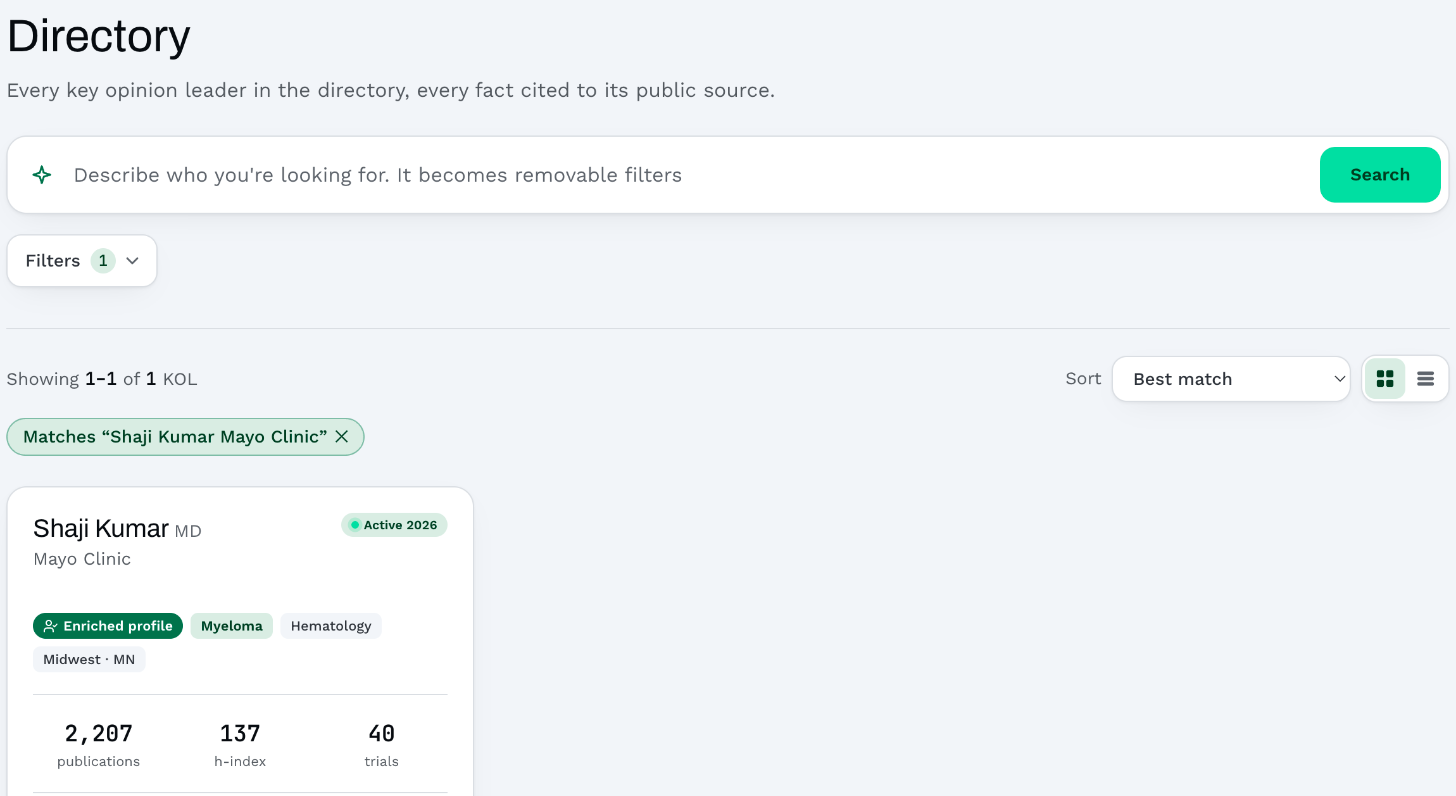
Adding the institution narrows a name to one profile. - 2
Read the trial history on the profile
Open Trials on the profile. The section states the total ("Listed as an investigator on 40 registered studies") and lists the most recent, each with its sponsor, phase, recruitment status and NCT number. Each row links to the registry record and to the study's own page in FindMyKOL.
The public profile shows the three most recent studies. The full list opens with Reveal full profile, which is part of Pro; Pro has a waitlist for now.
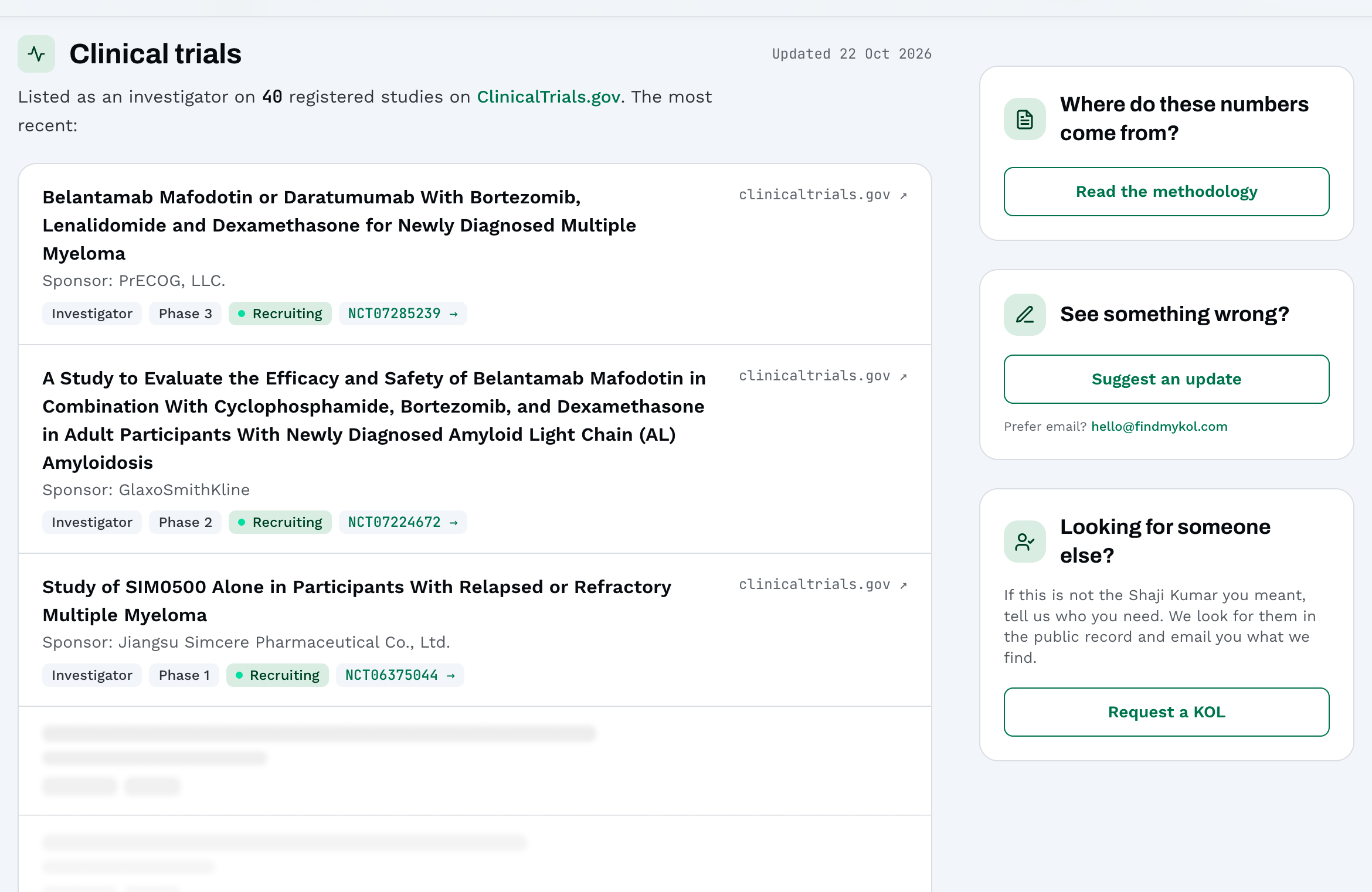
The total comes first, then the most recent studies, each linked to its registry record. - 3
Open a study to see the registered role
Click an NCT number. The study page lists the overall officials exactly as the sponsor registered them. On NCT07285239, a phase 3 myeloma study sponsored by PrECOG, Dr. Kumar is the Study Chair; the profile summarizes every role as Investigator, so the study page is where you read the specific one.
An official's name links to a profile only when the registered name matches one person after a namesake check. Ambiguous names stay unlinked rather than guessed.
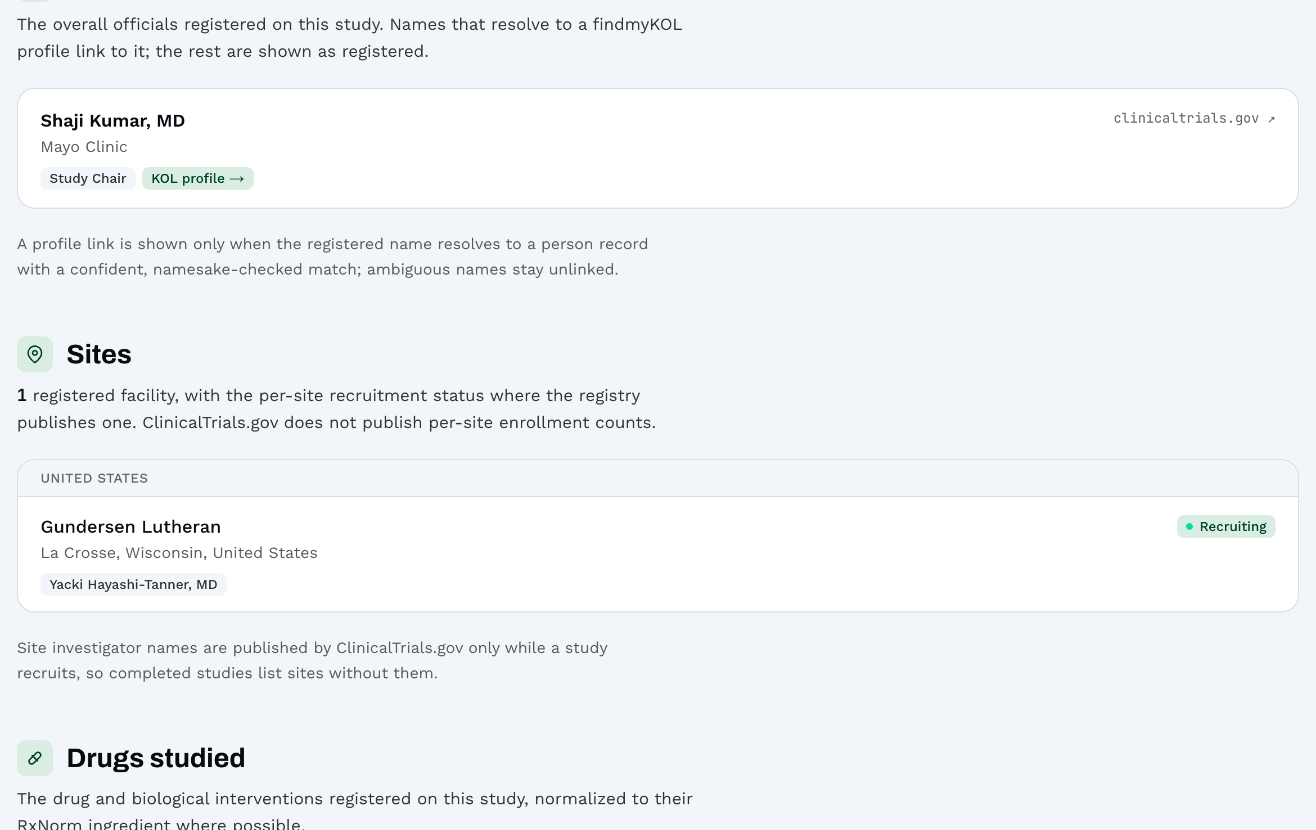
The overall official's registered role, and below it each site with its investigator while the study recruits. - 4
Work outward from the sites
Below the officials, the page lists every registered site with its city and recruitment status. While a study is recruiting, ClinicalTrials.gov also publishes the investigator at each site where the sponsor registered one, and those names are your next leads: physicians already running this protocol in your territory.
On NCT06375044, a phase 1 myeloma study with 14 sites, Dr. Kumar is not an overall official at all; he appears as the site investigator at Mayo Clinic Rochester. Studies like this are why the profile counts every registered role, not only the lead ones.
Search each site investigator in the directory and repeat from step 1.
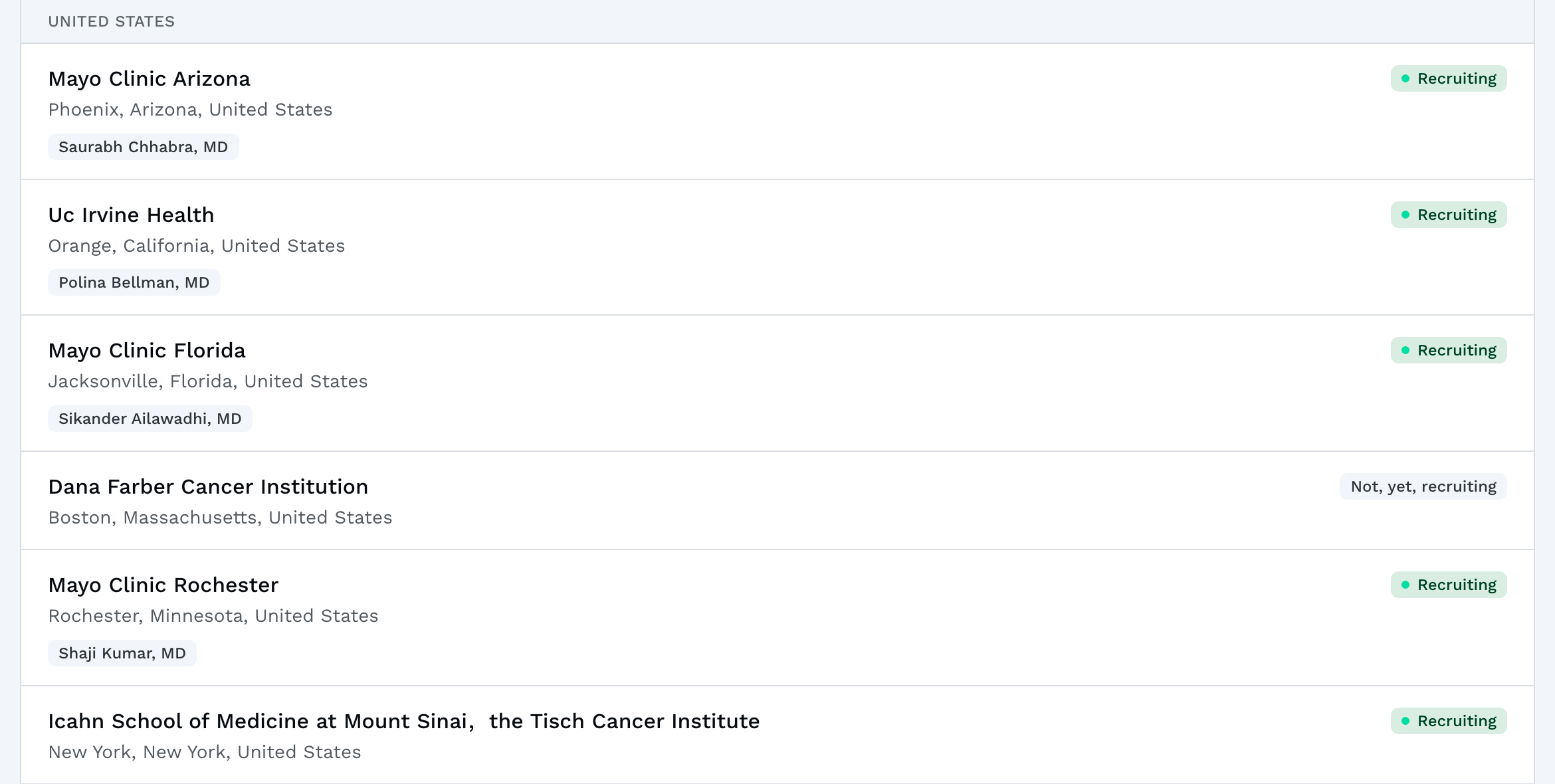
Recruiting sites with a registered investigator show the name; Mount Sinai and Dana-Farber do not have one on the record.
Where does the public record stop?
ClinicalTrials.gov records a study's overall officials (principal investigator, study chair or study director) for the life of the study, and the investigator at each site only while the study recruits. Once a study completes, the registry keeps the sites and drops the site investigators' names. It never records sub-investigators, who appear on the site's own regulatory documents, such as FDA Form 1572, which are not public.
| Role | In ClinicalTrials.gov | Public when |
|---|---|---|
| Overall official (principal investigator, study chair, study director) | Yes, with the role | For the life of the study |
| Site investigator | Yes, where the sponsor registers one | Only while the study recruits |
| Sub-investigator | No | Never: listed on site documents such as FDA Form 1572 |
So a complete history of the studies a physician worked on as a sub-investigator cannot be built from public data, by us or anyone else. If you need it, ask the site's research office. For every role the registry does record, start from the directory and sort by Most trials.
Can you start the search in ChatGPT?
Yes, for the first step. The FindMyKOL app in ChatGPT finds the physician and the shortlist around them. Add it from the ChatGPT plugin directory and ask, for example:
Using FindMyKOL, find hematologists at Mayo Clinic sorted by most clinical trials.
It answers with each physician's registered trial count and a link to their FindMyKOL profile; on 24 October it listed Dr. Kumar first, with 40 registered studies, ahead of two other Mayo Clinic hematologists. It does not list the individual studies or the role on each, so open the profile and the trial pages for those, as in steps 2 to 4. The registry's limits carry over: a study where the physician was only a sub-investigator appears in neither place.
Questions
- Does ClinicalTrials.gov list sub-investigators?
No. It records a study's overall officials and, while the study recruits, one investigator per site. Sub-investigators are listed on the site's own documents, such as FDA Form 1572, which are not public.
- Why does a completed study show sites but no site investigators?
ClinicalTrials.gov publishes site investigator names only while a study is recruiting. When the study completes, the site list stays and the names are removed.
- What do the roles Study Chair and Study Director mean?
They are overall-official roles the sponsor chooses when registering the study, alongside principal investigator. The registry does not define them further, so read them as the sponsor's label rather than a measure of who did the work.